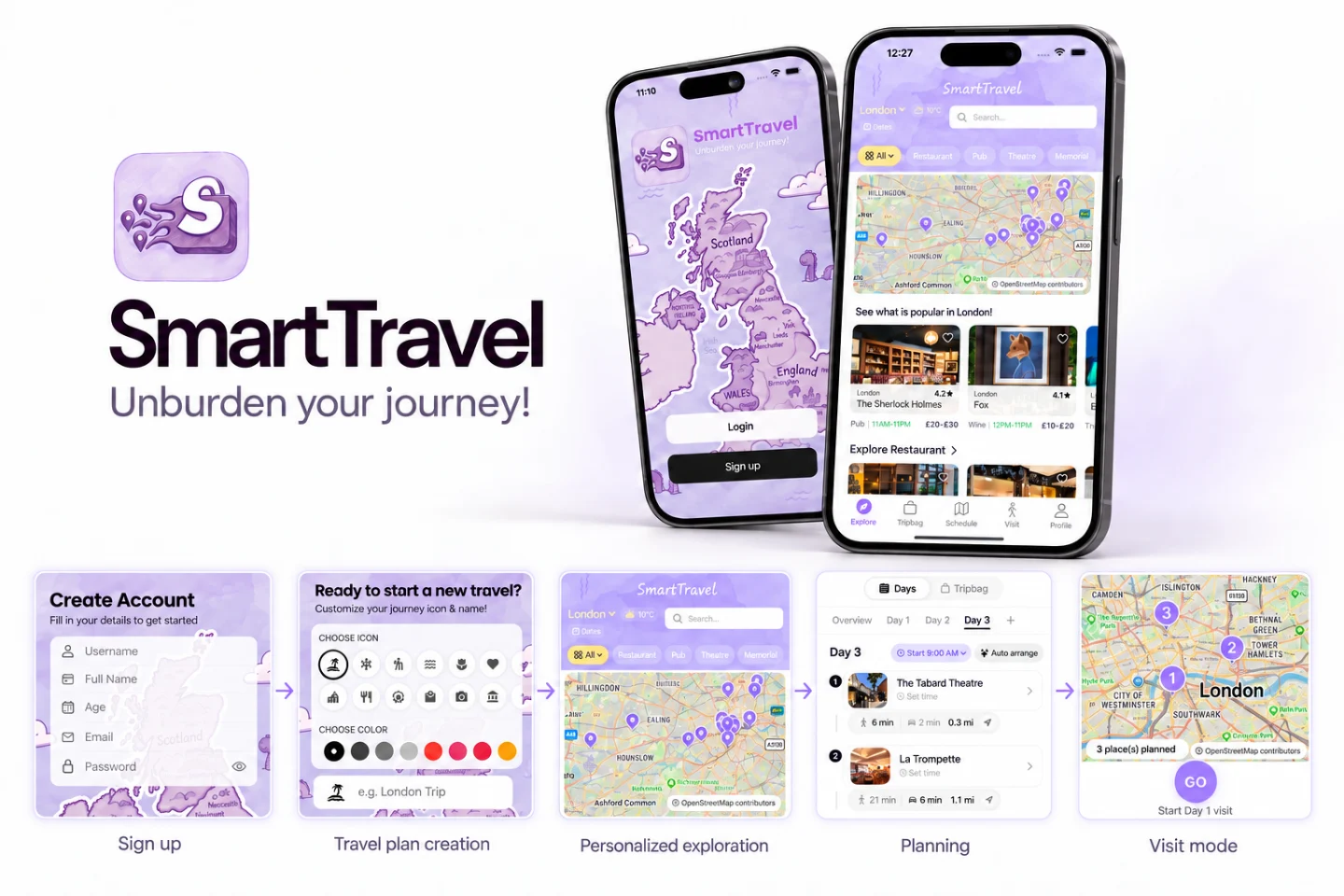
Situation
The module brief asked our team for a travel recommender that learns from behavior and copes with uncertainty. A recommender only learns what the app lets it see, so the screens decide what it can learn. On top of the brief, I proposed the app the team built: a trip planner with Explore, TripBag, Schedule, Visit and Profile.
Role
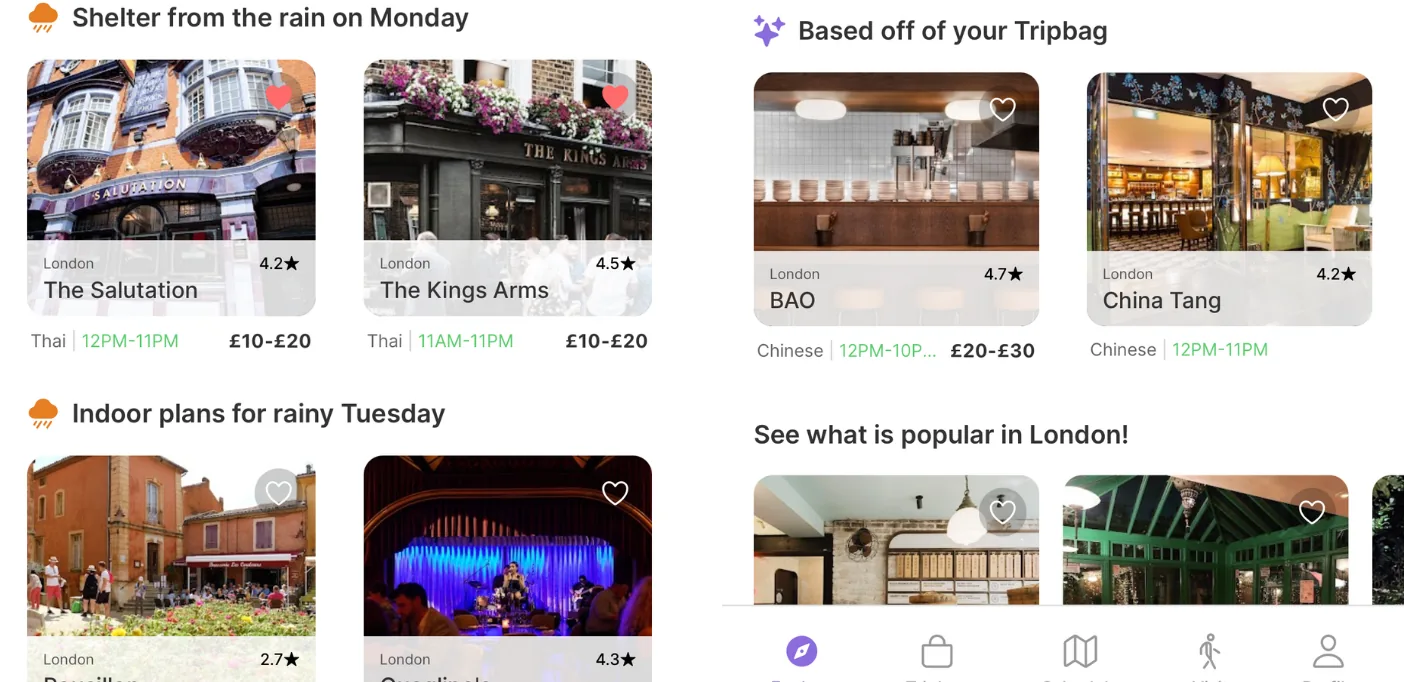
I defined the app’s structure and the feature set the team adopted, and designed the interface in Figma. I also designed the Visit module, which a teammate built, and the Explore suggestions for rainy days and for places related to the TripBag.
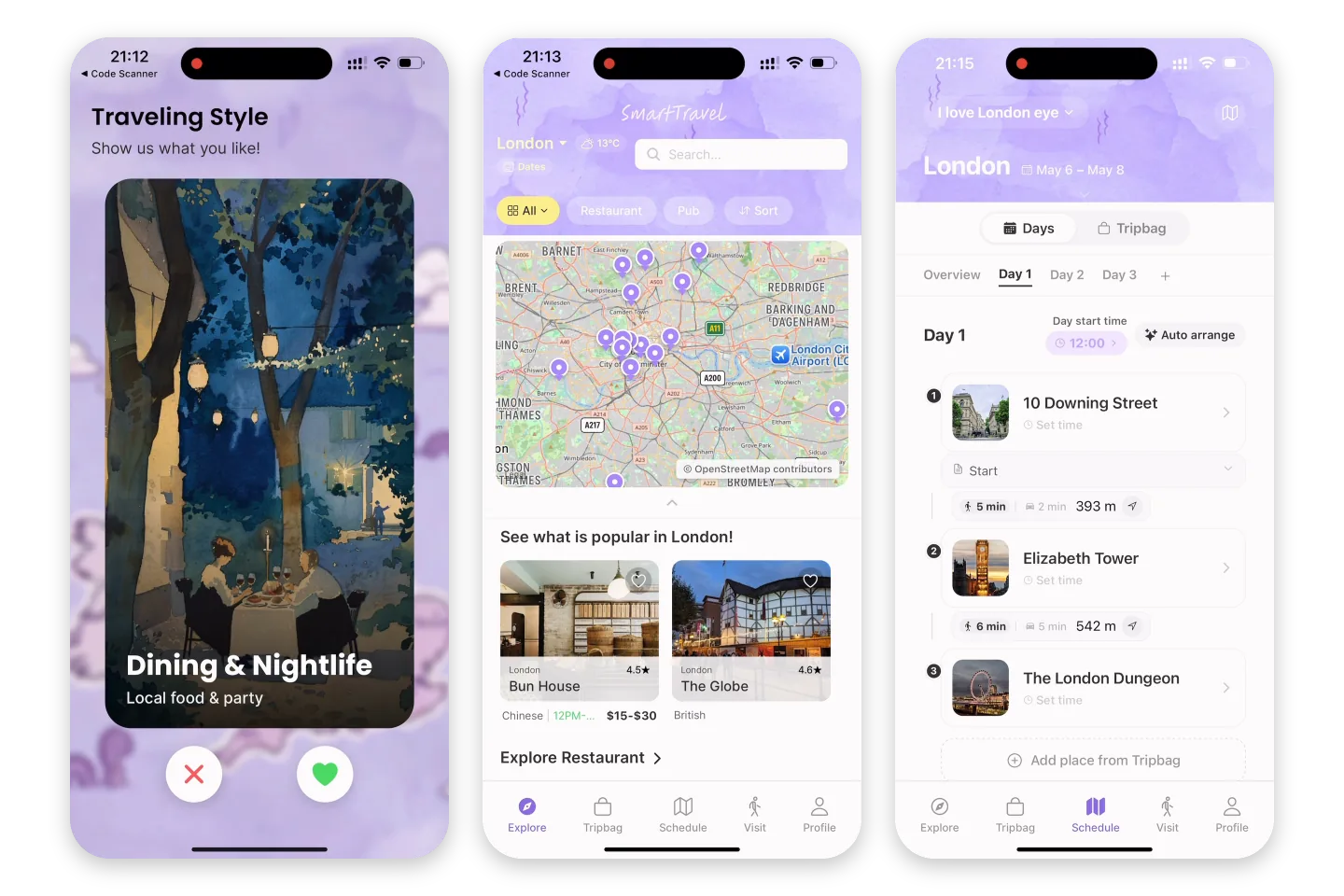
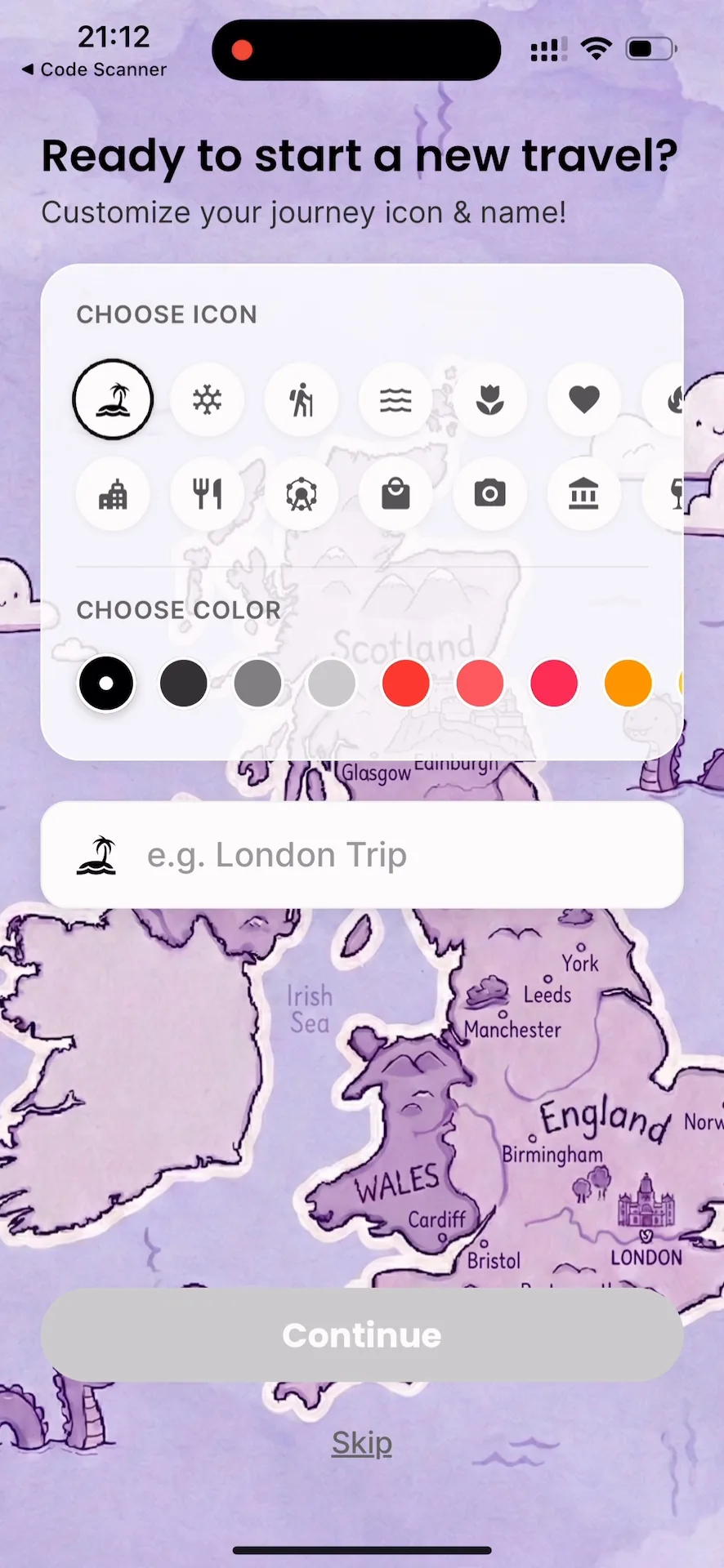
I built the swipe cards that collect preferences before the first search, the sign-up and new-trip flow, and most of the place details. I rebuilt TripBag and Schedule and maintained them with teammates. Late in the project, I moved the screens onto one shared set of components.
I built the event tracking the recommender learns from: views, dwell time, taps and TripBag changes. Events are batched and kept on the phone until they can be sent. I also built the backend endpoint that receives them and the schema they are stored in.
Teammates built the backend gateway and authentication, the data pipeline, the recommender model, the Visit screen, the translations and the tests.
Constraints
We were a student team working in parallel over the academic year, with a weekly supervisor meeting. There were no real users, so the model was trained on synthetic users and interactions, calibrated with a survey. The app ran in Expo Go on our phones and was never published to an app store.
Process
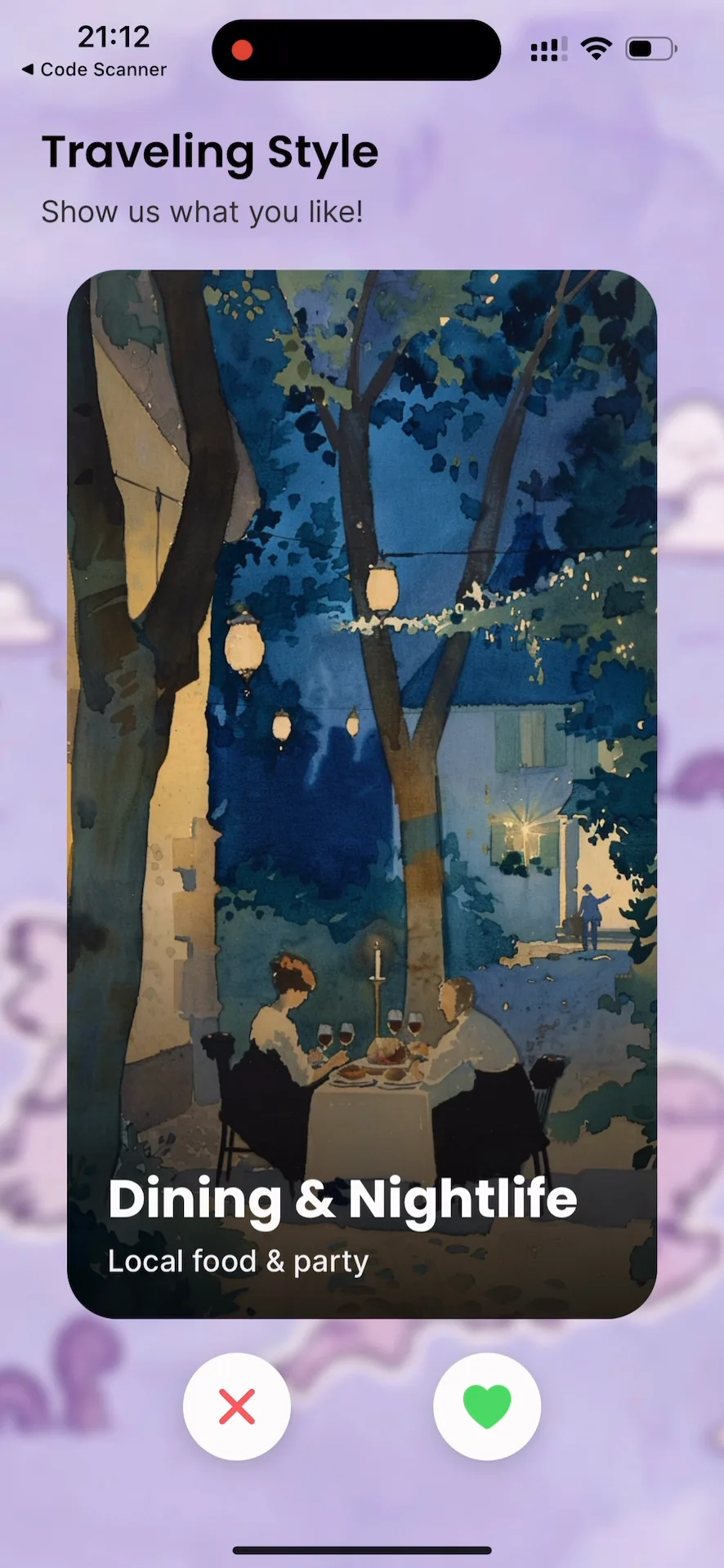
Swipe cards instead of a preference form. New users rarely know what they want before a trip, and a form makes them say it up front. A swipe asks one small question at a time, and each answer is a clear signal.
TripBag before Schedule. Saving a place and giving it a day are separate steps. A place can wait in the TripBag without a date, and adding, removing and scheduling each send their own signal.
Events agreed early. I fixed the list of events and their endpoint before the backend and model were ready, so teammates could build against them in parallel. A view only counts when a card is mostly on screen for long enough, so scrolling past is not read as interest.
Result
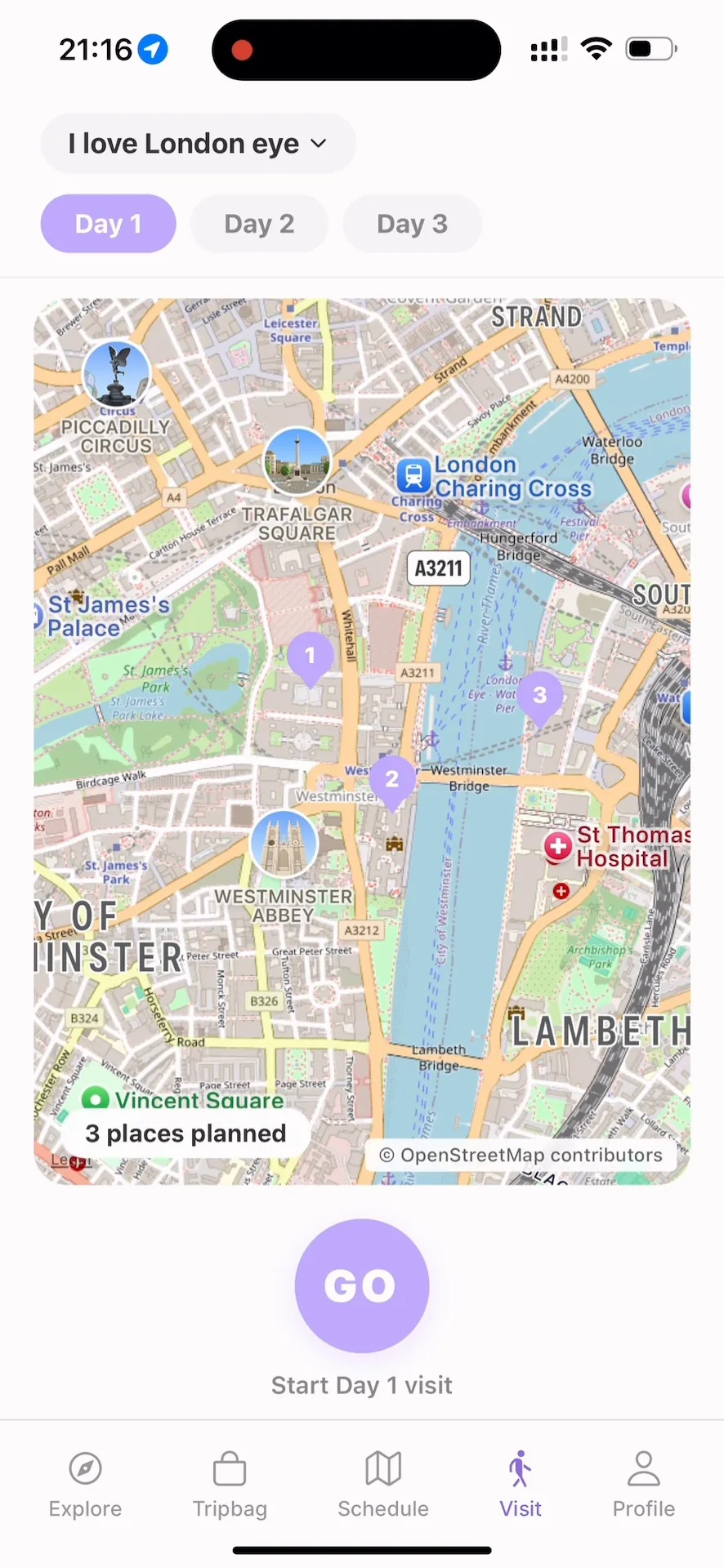
The final app runs end to end in Expo Go: create a trip, set preferences, explore, save places, schedule the days and visit them. The walkthrough is my recording of the app, shortened; the screens below are frames from it.
Transcript
Then you will see the personalize your travel. We give user a swipe card to choose what they like and what they dislike, and they can use for our recommendation system.
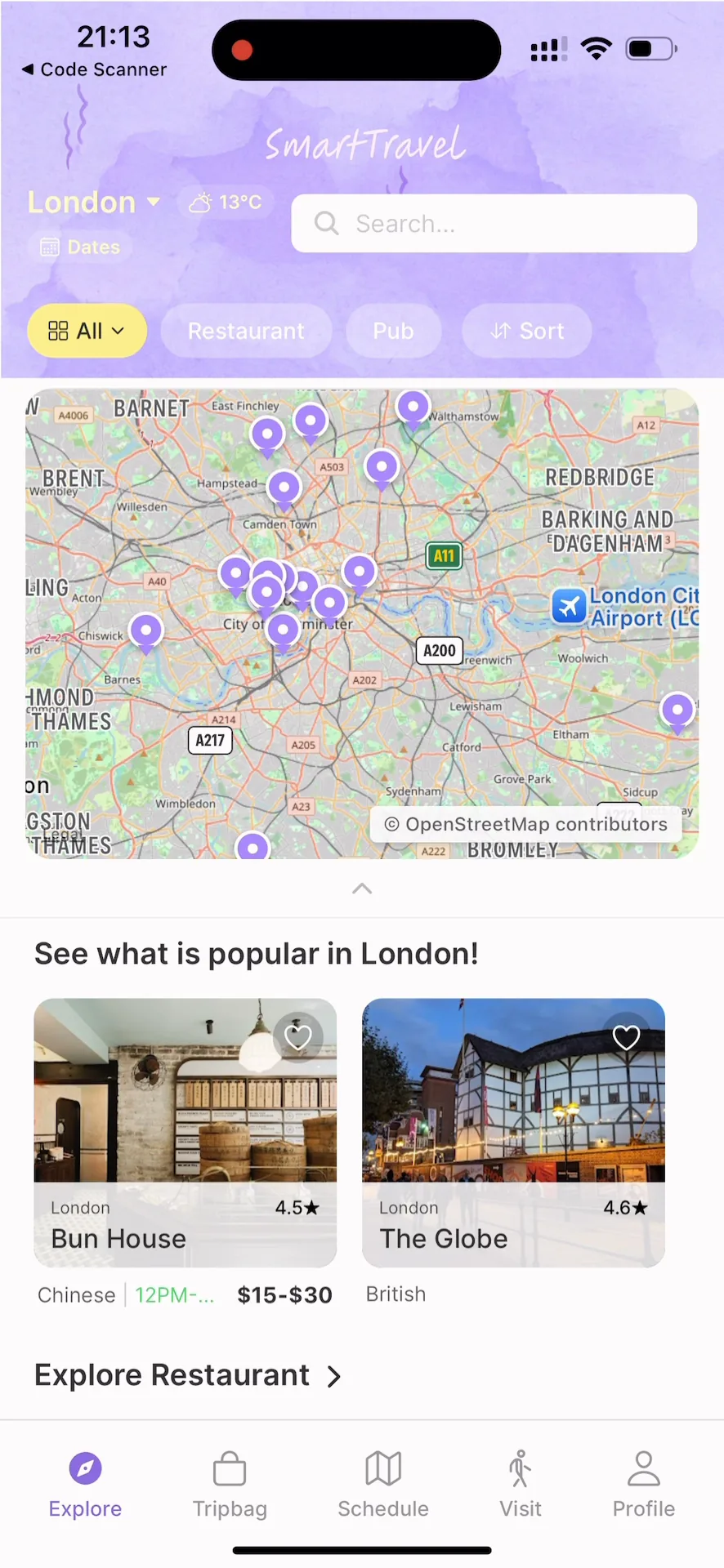
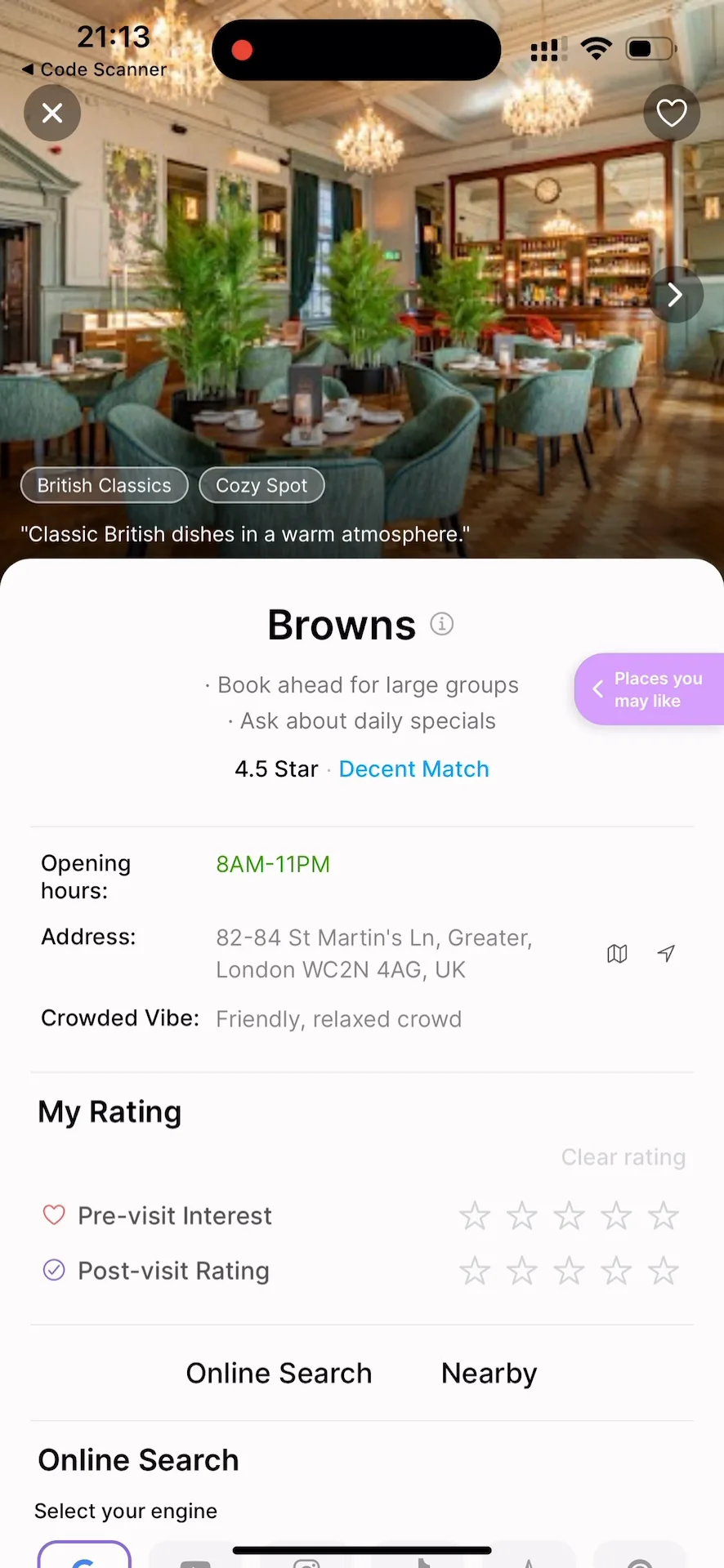
So first you will see the explore page, and there is the map; you can zoom in some nodes to see some POIs. For example, you can click in and see the details of the place.
After choosing our POIs, we can see the list in the TripBag, and we can remove items as we like.
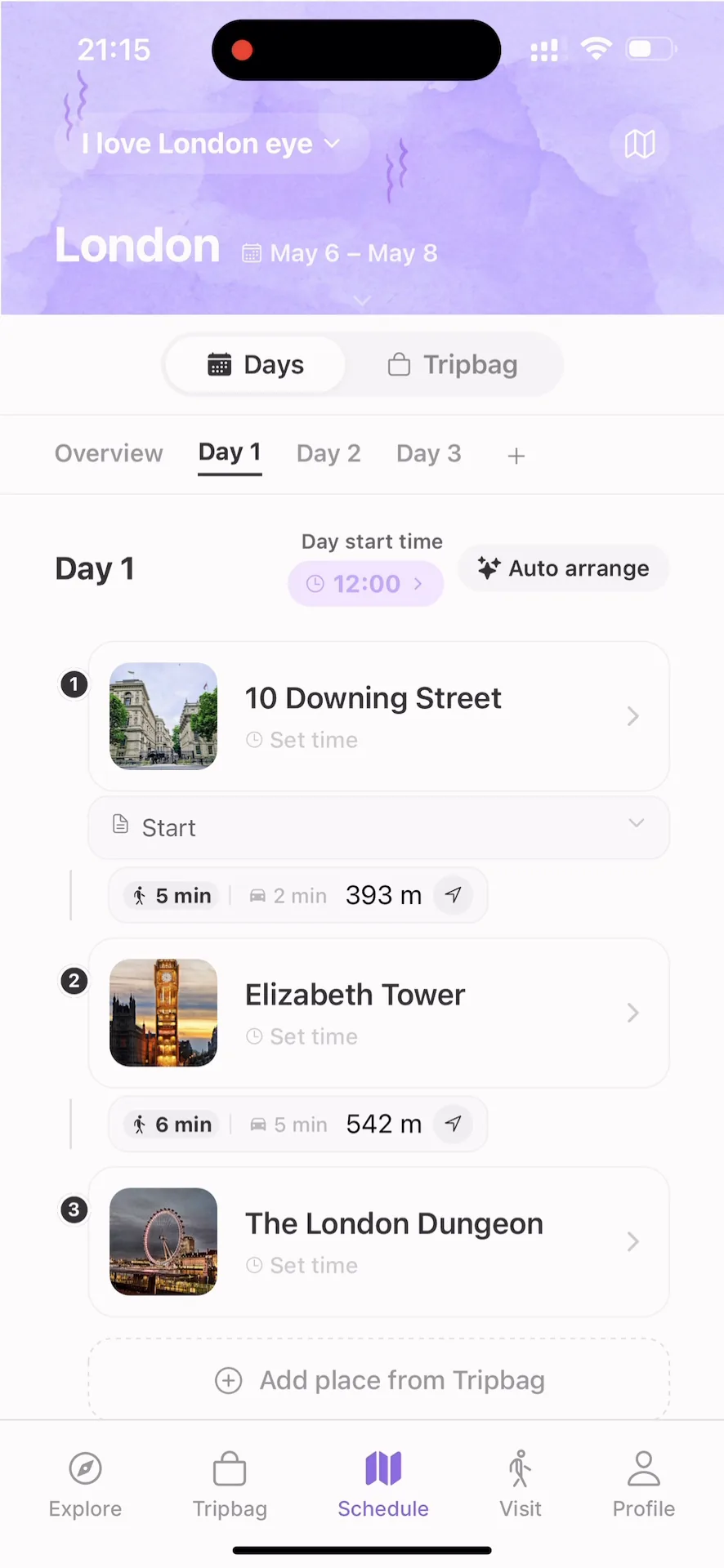
Then we enter the schedule page. In this page we can set dates, like I want to go from 6 to 8. Then we can tap to select some places from TripBag to the schedule. Our backend will automatically calculate the distance between each POI. Here you can click the map to see the detailed route of each POI.
After completing the schedule, then the user can start to travel. Click go. Here you can see all the places inside one day. And user can drop a pin, which means user can take some photos of their travel destination, leave a mood or leave a note of this interesting place.
 (full-size image)
 (full-size image)
 (full-size image)
 (full-size image)
 (full-size image)
 (full-size image)
Reflection
We settled the shared components late, and unifying the screens afterwards cost time that an early design system would have saved. Next time I would build the components before the screens. The recommendations were never tested with real travelers, so whether these signals help is still open.
Boundaries
This was a team project. The code is in the course’s private repository and is not linked. My individual report for the module, which describes my part, is not public either.
The model was trained on synthetic data, and there was no user study. Maps come from OpenStreetMap and place photos from Google Places; place descriptions were written by a local language model.
Illustrations were made by hand and in Figma, with AI image tools. The promotional image at the top is not an interface capture.